



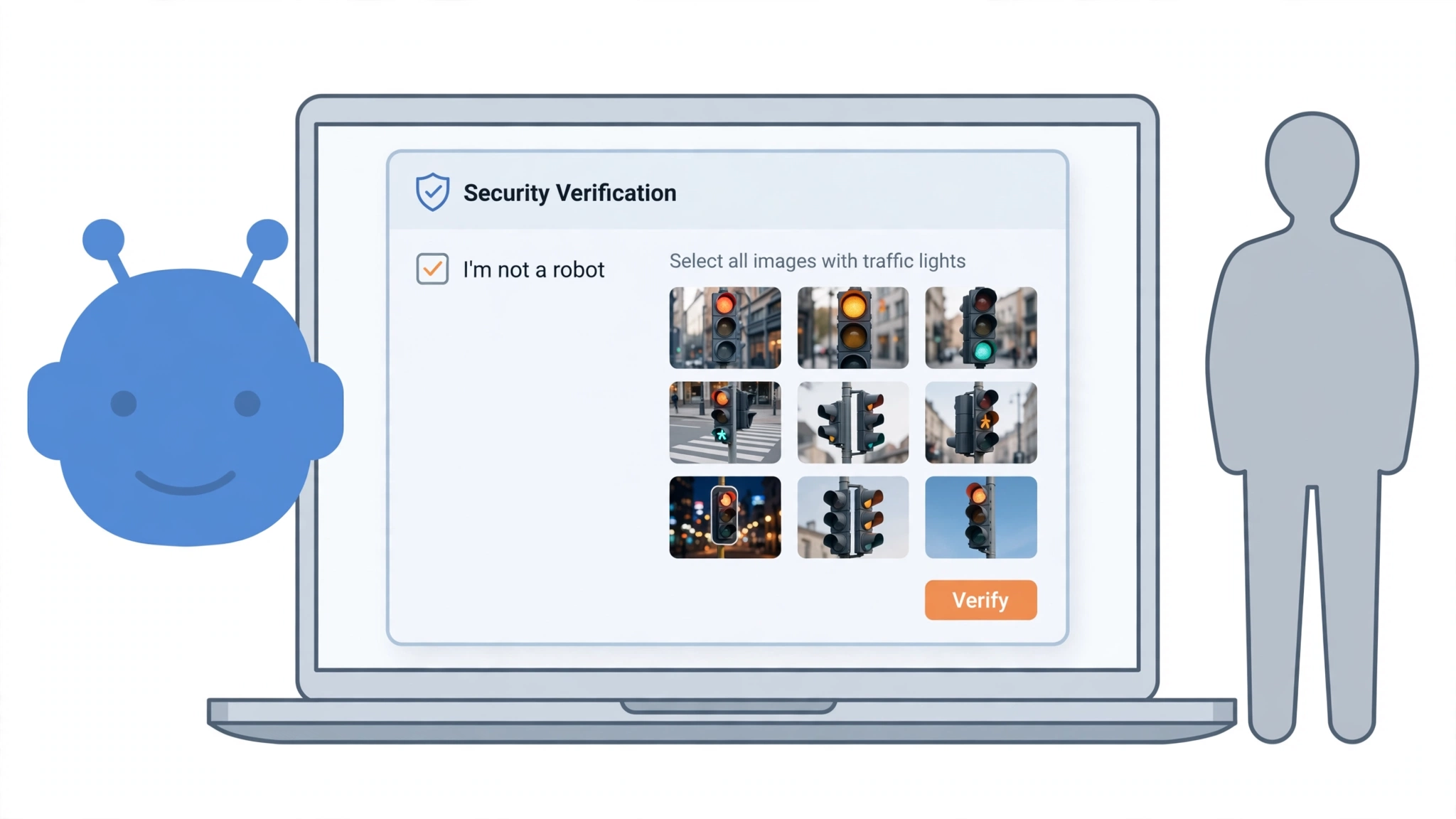
You’re signing up for a new account, or booking train tickets, and everything is going smoothly — until the site stops you and asks you to identify every traffic light in a blurry grid. You click three of them. Wrong. Another grid appears. You squint at one tile that might be a crosswalk. Wrong again. You’ve never felt less human.

The experience is so common that most of us have stopped asking why it exists. So: why does the internet keep asking you to prove you’re not a robot — and what is the check actually doing?
First, what CAPTCHA stands for — and who it’s aimed at
CAPTCHA stands for “Completely Automated Public Turing test to tell Computers and Humans Apart.” It was developed at Carnegie Mellon University by Luis von Ahn and his colleagues, and it works as a gate, not a quiz: the site isn’t curious about your traffic-light knowledge.
The people it’s blocking aren’t people. Automated bots sign up for thousands of fake accounts at a time, snap up concert tickets in seconds to resell them at a markup, flood comment sections with spam, and hammer login pages with passwords stolen from other breaches. Without a human-check, a website’s signup form is an open door for all of that. The puzzle is the price of keeping the door closed.
The checkbox isn’t really about the checkbox
The most common test today is Google’s reCAPTCHA v2 — the “I’m not a robot” box. The surprising part is that the tick barely matters. Long before you click, Google’s script has been watching: how your cursor moved across the page, how long you lingered, your browser’s fingerprint, your cookies and browsing history.
If all of that looks like an ordinary person browsing, the checkbox turns green instantly and you’re through. A bot’s cursor tends to move in straight, mechanical lines or jump straight to the target; a human’s wanders. If something looks off — a strange IP address, no browsing history, robotic movement — that’s when the image grid appears. The puzzles are the second opinion, not the first.
Why it’s always traffic lights, buses and crosswalks
This is where the story gets interesting, because CAPTCHA puzzles have always had a second job.
The original reCAPTCHA showed two distorted words. One was a control word the system already knew; the other was a word from a scanned book that optical character recognition couldn’t decipher. By typing it, millions of users collectively digitized the archives of Google Books and old newspaper collections — including, by one account, millions of articles from The New York Times archive.
When the books ran out, Google confirmed in 2012 that it was feeding reCAPTCHA images taken from Street View — house numbers, street signs, business addresses — to sharpen Google Maps. Today’s road-object puzzles continue that tradition: every time you circle a bus or a crosswalk, you’re labeling image data that computer-vision systems learn from. The test protects the site, and your answers quietly train the machines that built the test. Even the CAPTCHA creator has publicly lamented building something that, in Cloudflare’s memorable phrasing, fritters away “in ten-second increments, millions of hours of a most precious resource: human brain cycles.”
The newest version doesn’t show you anything at all
Google’s reCAPTCHA v3, released in 2018, has no checkbox and no puzzles. It runs silently in the background and assigns every visitor a score from 0.0 (probably a bot) to 1.0 (probably a human), based on behavioral signals. The website owner sets a threshold and decides what happens next: let you through, challenge you, or block you.
This is why some sites never ask you anything while others interrogate you. You’re being scored either way — the puzzles only appear when the score comes back uncertain.
The quieter alternatives starting to replace it
reCAPTCHA isn’t the only system. In September 2022, Cloudflare launched Turnstile, a free alternative that any website can use. It runs small browser challenges in the background — little cryptographic tasks your browser solves silently — and only shows a checkbox if something needs a second look. No traffic-light grids at all. Cloudflare’s pitch was partly about privacy: Google’s checks lean on browsing data, and Google, as Cloudflare pointedly noted at the launch, is an advertising company.
There’s also hCaptcha, which pays website owners for the puzzles their visitors solve. But the direction of travel is clear: away from puzzles you can see, toward checks you can’t.
Why you get challenged more than everyone else
If you’re the person who sees CAPTCHAs everywhere while friends sail through, it’s probably your browsing setup, not your cursor. Anything that makes you harder to recognize raises the system’s suspicion:
- VPNs and shared networks. If your IP address has been used by bots before — common with VPN exit servers, office networks and public Wi-Fi — you inherit their bad reputation. (Worth reading: our straight answer on whether you actually need a VPN.)
- Private or incognito browsing. With no cookies or browsing history to vouch for you, the check has less to go on, so it asks for more. Here’s what incognito mode actually hides — and what it doesn’t.
- Bot-like behavior. Racing through pages at inhuman speed or running browser automation tools will trigger challenges, because that’s exactly what bots do.
A few things genuinely help: let the page finish loading before ticking the box, and solve puzzles at a natural pace — frantic re-clicking looks like a script. If the images are unreadable, most puzzles offer an audio alternative (the headphone icon). It exists for accessibility, and critics have long pointed out that image puzzles assume a level of vision and dexterity not everyone has — but the audio option works for anyone who’s squinting.
What the check learns about you
It’s worth knowing what you’re handing over. Google’s own documentation says reCAPTCHA collects browser and behavioral data to fight abuse — and a 2024 study by researchers at UC Irvine found that in practice, reCAPTCHA v2 gathers a wide net of signals, from mouse movements and browsing history to screen resolution and device details. The researchers also argued the data has value well beyond security, since detailed behavioral profiles are exactly what advertising runs on. Google disputes that characterization — but if the question makes you uneasy, it’s the same question we explored in what happens to the data you type into AI chatbots.
The web’s bot problem isn’t going away. Bots are only getting better at looking human, which is why the tests keep moving from things AI can now solve — distorted text, then image grids — toward how you behave. So the next time you’re identifying crosswalks, know that you’re not really being tested on crosswalks. You’re being tested on whether you solve them like a person — and, incidentally, helping teach a machine what a crosswalk looks like.












