



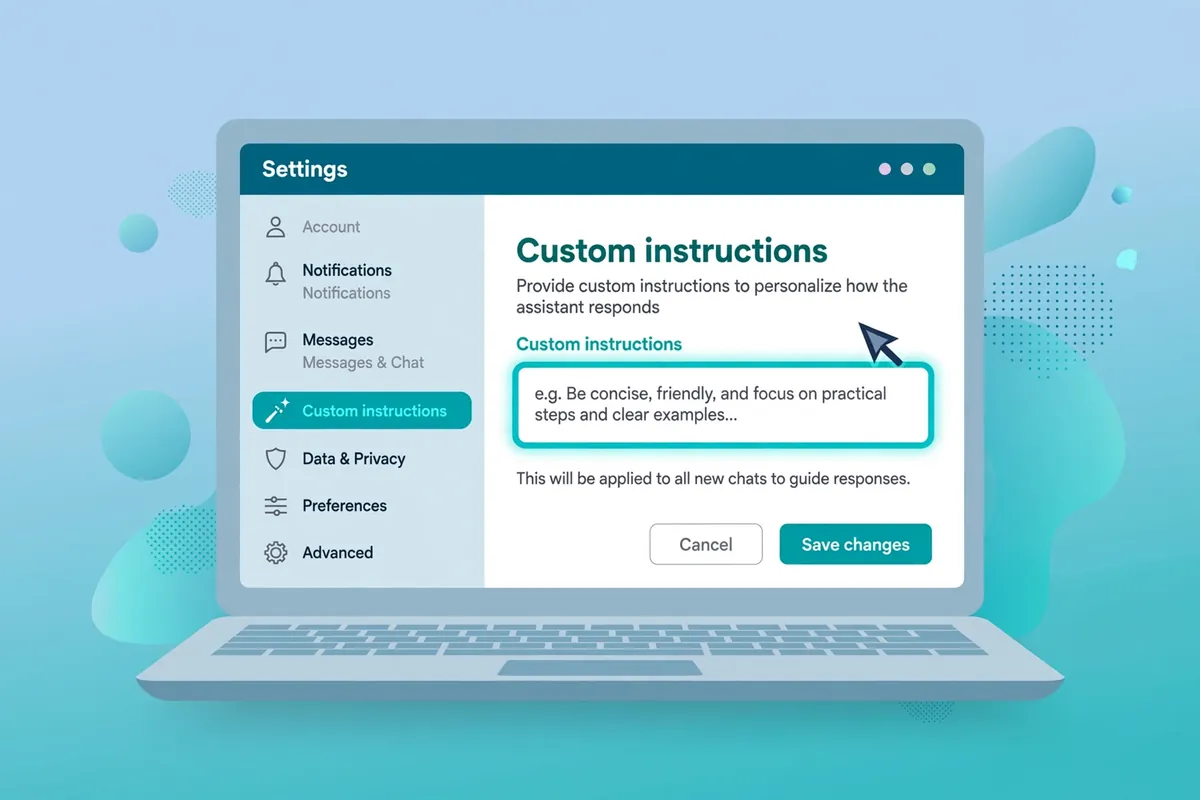
If you use ChatGPT regularly, you’ve probably caught yourself typing the same context over and over: “Keep it short.” “Explain it simply, I’m a beginner.” “Give me the code in Python.” It’s tedious — and it’s exactly the kind of repetition a computer is supposed to spare you. ChatGPT has a built-in setting that fixes it. It’s called custom instructions: you write your preferences once, and ChatGPT takes them into account in every chat.

The short version: one standing note, read before every reply
Custom instructions are a note attached to your account that ChatGPT reads before it answers anything. Tell it who you are, what you’re usually working on, and how you like answers shaped — and you stop re-typing that context in every conversation. It doesn’t replace good prompting; it handles the parts of your prompting that never change.
OpenAI offers the feature on all plans, including the free one, on web, desktop, and mobile apps. That detail matters, because most “power user” ChatGPT features are paywalled. This one isn’t.
Where the setting actually lives
The location moved around over the years, so here’s the current path, straight from OpenAI’s help center:
On web or desktop: click your profile picture (bottom left) → Settings → Personalization → make sure “Enable customization” is switched on → type into the Custom Instructions field.
On iPhone or Android: open Settings → Customize ChatGPT → make sure “Enable customization” is switched on → type into the Custom Instructions field.
Changes apply to new chats immediately. If you change your mind later, the same toggle turns the whole thing off — and you can delete what’s in the box at any time.
What to actually write in the box
The mistake most people make is being vague. “Be helpful” changes nothing, because ChatGPT is already trying to be helpful. The instructions that work describe specifics: who you are, what you usually need, and how you want answers shaped.
Think in three parts:
- Who you are — your role, level, or situation.
- What you’re usually doing — the recurring task.
- How you want answers — length, format, tone, and what to skip.
Here are examples worth copying and adapting:
The student: “I’m a second-year biology undergraduate. Explain concepts in simple terms with everyday analogies, and end each answer with two or three quick questions so I can test myself.”
The developer: “I’m a Python developer working with Django. Give code examples in Python 3, keep explanations short, and always point out the common pitfall in whatever you’re showing me.”
The small-business owner: “I run a small bakery. Write in plain, simple English, keep marketing copy under 100 words, and avoid business jargon.”
The job seeker: “I’m applying for data analyst roles. When I share resume bullet points, suggest stronger verbs, cut filler, and be direct about what’s weak.”
The “just keep it short” person: “Keep answers under 150 words unless I ask for more detail. Use bullet points. Skip the pleasantries and get to the point.”
Notice what these have in common: each one would be annoying to retype, each is stable for months, and each is specific enough to actually change the output.
A few things better left out
Anything secret. No passwords, account numbers, API keys, or addresses. OpenAI says information from custom instructions may be used to improve its models — you can opt out in your data controls, but the safest rule is the one you’d apply to anything you type into a chat: if you wouldn’t say it out loud, don’t put it in the box.
Things that change every week. “I’m preparing the Q3 sales report” is useful context today and a confusing relic in November. Instructions are for the stable stuff; put the temporary context in the chat itself.
Contradictory pairs. “Always be brief” and “always explain in detail” can’t both win. Pick the default in the box, and override it in individual chats when the exception comes up — a single sentence in the chat beats the standing instruction for that conversation.
Don’t confuse this with Memory
ChatGPT has a separate feature called Memory (Settings → Personalization → Memory) that quietly picks up facts from your conversations on its own. Custom instructions are the opposite: rules you deliberately set. A useful way to think about it — instructions are the preferences you’d write down; memory is the context ChatGPT gathers. You can use both, and you can switch either off independently.
The character limit is more generous than it looks
Free and Go users get 1,500 characters; paid plans (Plus, Pro, Business, Education, and Enterprise) get 5,000. In practice, the best instructions fit in two or three sentences. If you’re running out of room, that’s usually a sign you’re writing too much, not that the limit is too small.
A quick check before you save
- Would a stranger understand it without extra context?
- Will it still be true three months from now?
- Does it say what to avoid, not just what to do?
- Would you be comfortable if it were used to improve the model?
If the answer to all four is yes, save it and move on. Five minutes in the settings panel buys back a little time in every chat after it — and the next time you open ChatGPT, notice what you didn’t have to type. That’s the whole point.
SuperDova is an independent technology publication — find more practical AI guides in our AI Tools section.













Comments 2