The phone slips, the sink is full of water, and for two seconds your brain empties of everything except the cost of a replacement. Almost everyone has lived some version of this. The next few minutes matter more than you might think — but probably not for the reason you’re expecting.

They matter because the most popular advice — the bowl of rice — is the one thing the phone makers themselves tell you not to do.
The rice trick is a myth — and Apple says so directly
In 2024 Apple updated its support guidance for wet iPhones, and one line stood out: don’t put your iPhone in a bag of rice. The reason isn’t that rice can’t absorb moisture — it’s that the grains leave behind tiny particles that can get into the charging port and damage the phone. Independent tests over the years have also found that rice is simply not a particularly effective drying agent. Airflow does the job better and carries no risk.
Apple isn’t the only maker with an opinion. Samsung’s support guidance for Galaxy phones that show a moisture warning covers much the same ground: dry the port gently, don’t charge until everything is properly dry, and never aim a hairdryer at the phone. So before we go further: forget the rice, forget the hairdryer, forget the cotton swabs. Here’s what to do instead.
Get it out, switch it off, take the case off
The first minute is about stopping things from getting worse. A wet phone with electricity running through it is a recipe for corrosion, so everything here is about removing power and trapped liquid:
- Fish it out quickly — but don’t press any buttons. Pressing buttons can force water deeper inside.
- Power it off. Don’t keep checking whether it still works. A phone that lights up isn’t necessarily fine inside; current flowing through wet circuitry is exactly how permanent damage happens.
- Unplug everything attached to it — charging cable, headphones, any accessories. If the cable is connected to a powered socket, pull it out of the phone carefully.
- Take the case off and dry it separately. Cases trap liquid against the phone’s body and slow everything down.
- Pop the SIM tray out, if it slides out easily. It gives air one more way in. Don’t force it.
Dry it the way the manufacturers recommend
The official routine is boring, and that’s the point.
- If the liquid wasn’t water — coffee, juice, seawater — rinse the affected area with clean tap water first. Fresh water washes away the sugars and salts that would otherwise corrode the phone’s insides over weeks.
- Wipe the phone down with a soft, lint-free cloth. A glasses cloth is ideal.
- Tap the phone gently against your hand with the charging port facing down, to shake loose the water sitting in the connector.
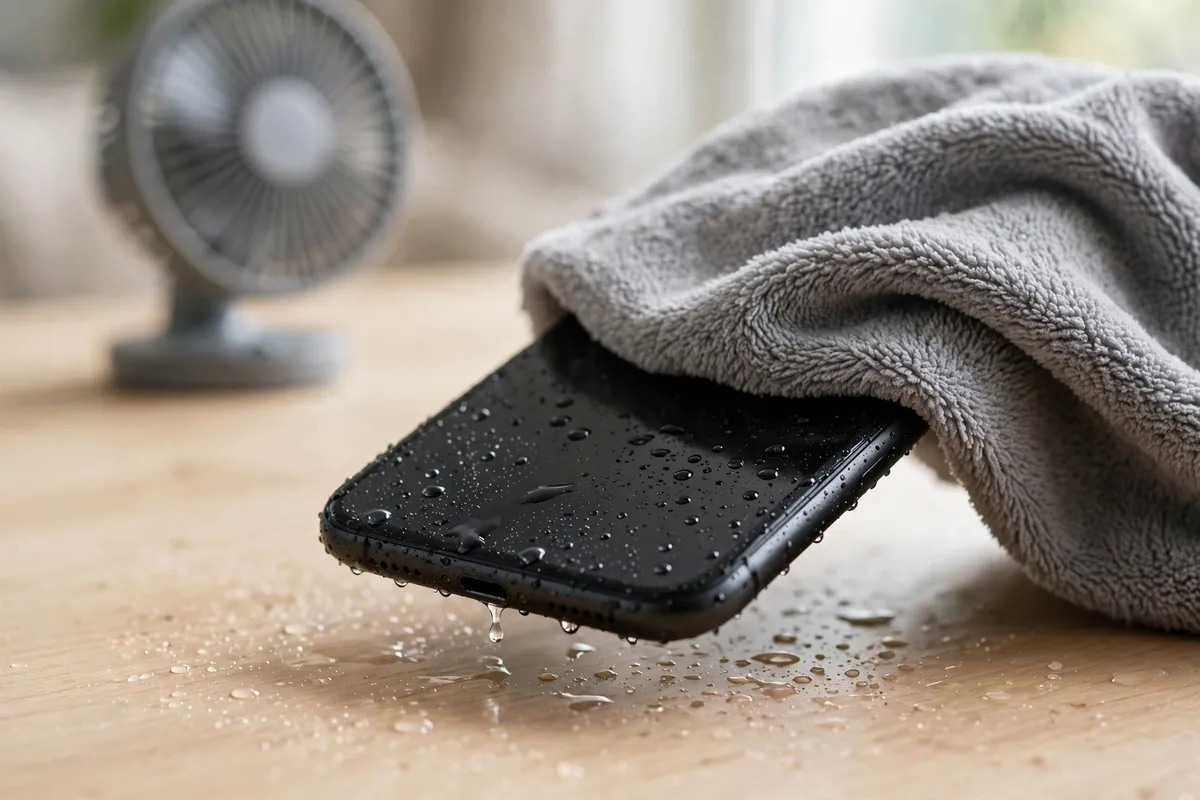
- Leave it somewhere dry with air moving around it. A desk fan blowing cool air toward the phone is fine and genuinely helps. A hairdryer is not, on any setting — heat can warp the adhesives holding the phone together and cook components.
- Don’t poke anything into the port — no cotton swabs, no rolled-up paper towel. You’ll only bend the pins or push debris deeper.
Then wait. Apple says to try charging after at least 30 minutes; if the liquid-detection warning comes back, leave it for up to a day — a phone can take up to 24 hours to dry out fully. The waiting is the treatment.
Don’t charge it while it’s damp — the phone may refuse anyway
A wet charging port plus electricity is how corrosion starts, so both iPhones and Samsung phones now refuse to cooperate: you’ll see a “liquid detected” or “moisture detected” alert, and wired charging simply won’t start. Treat the warning as information, not a fault — it’s the phone protecting itself.
Two things worth knowing while you wait. On a Samsung that keeps showing the warning even when the port looks dry, Samsung’s own fix is to clear a settings cache: Settings → Apps, switch on show system apps, find USBSettings, Storage, then Clear cache. And wireless charging can be a workaround once the outside of the phone is dry — it doesn’t touch the damp port — but only if the phone wasn’t soaked badly enough to need the full waiting period anyway.
If patience doesn’t pay off
If the screen stays dark after a full day of drying, or the charging warning never clears, it’s time for a repair shop rather than more home remedies. One thing before you hand it over or give up on it: the photos and chats are usually what people grieve, not the hardware. If the phone won’t come back and you’re setting up a replacement, move your authenticator codes before the old phone is wiped — they’re the one thing that doesn’t follow you automatically.
And while your phone sits drying on the table, there’s one genuinely useful job to do from another device: check that a lost phone wouldn’t lock you out of your accounts. A password manager fixes the reused-password habit that turns one dead phone into five locked accounts.
“Water resistant” is a safety net, not a swimming pass
Most modern phones carry a water-resistance rating — those IP68 marks you see on spec sheets. It means the phone survived a lab test: still water, limited depth, limited time, with brand-new seals. It does not mean waterproof, and the seals degrade with drops, repairs, heat and ordinary ageing. Both Apple and Samsung exclude liquid damage from their standard warranties, which tells you everything about how much faith the industry puts in those ratings once the phone has been living in your pocket for two years.
So treat water resistance as what it is: a second chance when the inevitable dunk happens, not a reason to take the phone into the pool.
The fastest way to save a wet phone is to resist the urge to do clever things. No rice, no hairdryer, no cotton swabs, no “just let me check if it turns on”. Fish it out, power it down, shake the port dry, and let air and time do the rest. Boring saves phones; folk remedies don’t.