



The warning email arrives without ceremony: your Google storage is nearly full. You don’t remember saving anything lately, you haven’t uploaded a photo in weeks, and 15 gigabytes sounded generous when you first heard the number. So where did it all go?

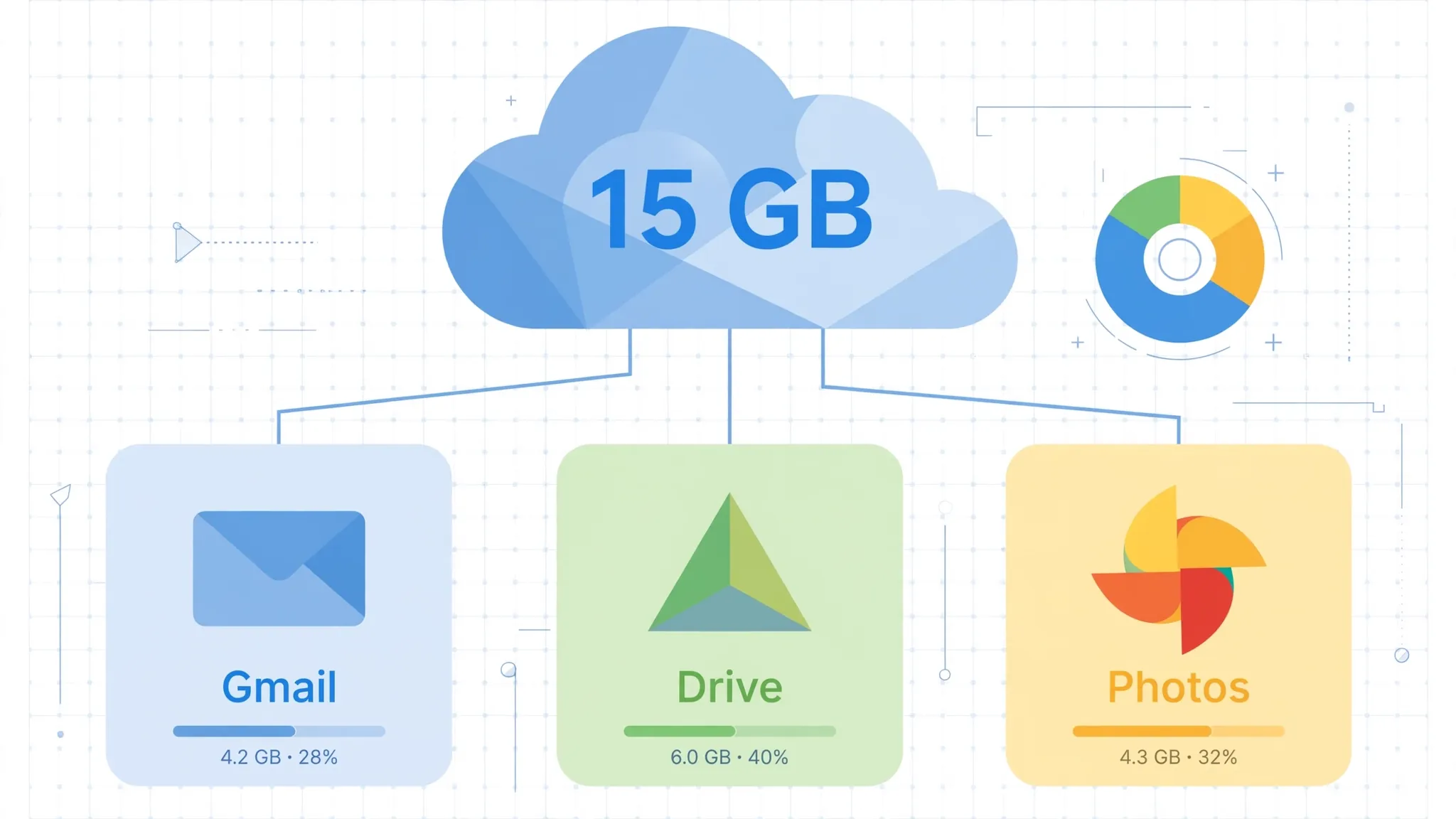
Most people assume each Google service gets its own slice — 15 GB for Gmail, 15 GB for Drive, 15 GB for Photos. That’s the misunderstanding. There is one single pool of 15 GB, shared across all three. A heavy inbox can starve your photo backups, and a few years of phone photos can quietly stop your email from arriving.
One pool, three drawers
Every free Google account includes up to 15 GB of storage shared across Gmail, Google Drive, and Google Photos. Google says this plainly in its own support documentation, but almost nobody reads that page until the warning appears.
So the first step in finding your missing space is checking how the pool is split. Google’s storage manager — at one.google.com/storage when you’re signed in — shows a breakdown by service, so you can see at a glance whether the problem is your inbox, your files, or your photo library. Fixing the wrong one wastes an afternoon.
Everything that eats from the pool
Here’s what Google actually counts toward that 15 GB, straight from its official list:
Google Photos. Photos and videos backed up in Original quality always count. Photos backed up in Storage saver (the old “High quality” setting) or Express quality count too — but only if they were uploaded after June 1, 2021. Anything uploaded in those compressed formats before that date is grandfathered in and doesn’t touch your quota. The practical takeaway: your oldest photos may be free, but every new backup is spending your space.
Gmail. Every message and attachment counts — and yes, that includes the ones sitting in your Spam and Trash folders. A plain text email is tiny, but a single email thread with video attachments can be tens of megabytes. Gmail has a 25 MB cap on attachments, and a decade of forwarded PDFs, presentations, and “just sending you this video” messages adds up faster than most people expect.
Google Drive. PDFs, images, videos, zip files — anything stored in Drive counts. One surprise from Google’s documentation: files in shared folders only count against the original owner’s quota, never yours. But if you copy a shared file into your own Drive, or add your own files into someone else’s folder, those do count against you.
The rest of the list. Meet call recordings, WhatsApp backups on Android, and everything in your Android backup settings — SMS and MMS messages, call logs, device settings, app data. Even your Google Docs, Sheets, and Slides now count, if they were created or edited after June 1, 2021. Files last touched before that date are exempt.
What surprisingly doesn’t count
Understanding the exemptions can save you from deleting the wrong things. Old photo libraries backed up in Original quality before the policy changes can keep using space without you realising — deleting them, on the other hand, frees nothing you expect if they were grandfathered compressed uploads. Files other people shared with you sit on their quota, not yours.
And one more thing worth knowing before you panic: YouTube doesn’t draw from this pool at all. Google’s over-quota policy explicitly doesn’t apply to YouTube, Google Keep, Blogger, or Google Sites. Your uploads and notes stay safe regardless.
Start with Gmail’s heaviest messages
For most people, the fastest win is in the inbox. Gmail’s search bar understands size operators, and Google documents this one officially: type has:attachment larger:10M and you’ll see every email carrying more than 10 megabytes. Lower the number to 5 if you want to be more aggressive, and try older_than:2y has:attachment to find bulky old messages first.
Delete what you don’t need — then go empty your Trash. Deleted emails keep counting toward your quota until they’re gone from Trash too, so this step isn’t optional. (And if your inbox holds anything you couldn’t afford to lose, our piece on why your email account deserves your strongest password is worth the two minutes.)
Then turn to Drive’s biggest files
Drive has its own built-in way to rank files by size: open Drive, go to Storage in the left-hand menu, and your files list automatically from largest to smallest. Old installers, exported videos, and forgotten backup zips tend to dominate the top of this list. Delete the dead weight, then empty the Drive trash as well — Google confirms that items left in trash still count toward your total.
One caution Google adds: after you delete a large number of files, the storage meter can take 48 to 72 hours to update accurately. Don’t assume the cleanup failed just because the number hasn’t moved yet.
Photos: compress, don’t just delete
If Photos is the biggest slice, deleting memories one by one is miserable. The better move is in Google Photos settings: the Recover storage option compresses your existing backups down to Storage saver quality in one go, reclaiming gigabytes without you losing a single photo. The quality drop is minor for viewing on screens; only switch if you genuinely don’t need full originals. For the future, setting backup to Storage saver from the start means each new photo costs a fraction of the space.
What happens if you just ignore the warning
A full Google account isn’t just an annoyance — things start breaking. You can’t upload new files to Drive or back up photos to Photos. Your ability to send and receive email in Gmail gets impacted. You can’t create new files in Docs, Sheets, or Slides, and nobody can edit or copy your affected files until you’re back under quota.
The long tail matters more: if an account stays over its quota for two years, Google’s policy allows it to delete your content across Gmail, Drive, Photos, and your Android backup. Google promises at least three months of notice before that happens — and you’d get warnings long before then — but the point stands: “storage full” is one of those warnings worth acting on the first time you see it, not the fifth.
Buying more space through Google One is always an option, and it’s reasonably priced. But most people sitting at 95% full have gigabytes of genuinely deletable material — huge old attachments, trashed files never emptied, original-quality videos they don’t need — and fifteen focused minutes is cheaper than a new subscription.













Comments 2