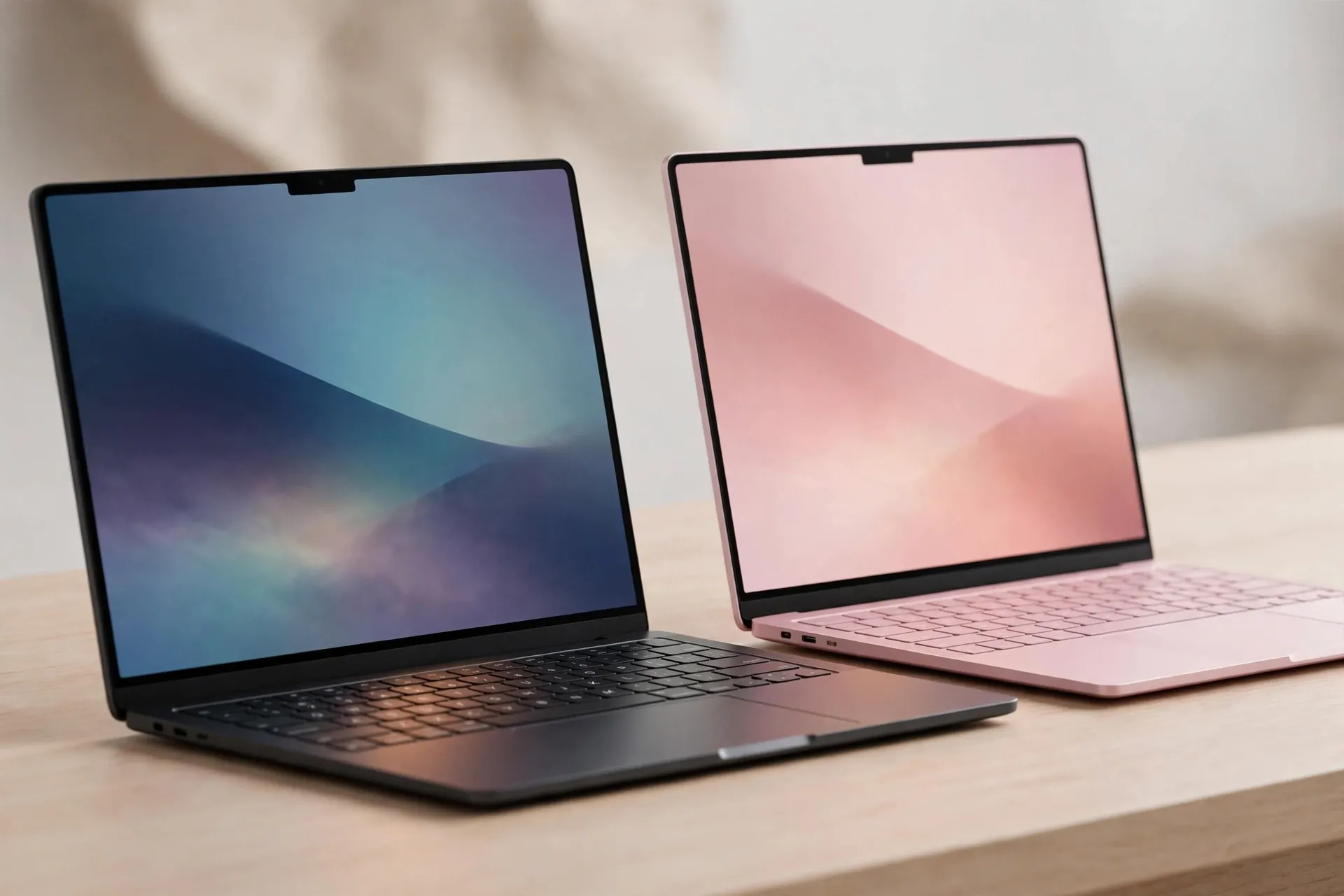
If you’ve seen “Googlebook vs MacBook Neo” in a headline and braced yourself for a cage match, take a step back first. One of these laptops starts at $899 and stretches to $1,299. The other starts at $599. That’s not a rivalry — that’s two machines standing in different rooms. The honest question isn’t “which one wins?” It’s “which room are you shopping in?”

Google’s Googlebook, announced September 21, 2026, is a premium machine built for people who live inside the Android ecosystem. Apple’s MacBook Neo, out since March 2026, is the cheapest Mac Apple has ever sold. Both are worth understanding. But pretending they fight for the same buyer does you no favors.
The price gap decides half of this before you start
Googlebook starts at $899 for the Acer 14 model, and most of the lineup sits higher: per launch coverage, Dell’s XPS Googlebook opens at $1,199, while the HP 14, ASUS 14, and Lenovo 15 all start at $1,299. That’s firmly in MacBook Air territory, not budget-laptop territory.
The MacBook Neo starts at $599 for the 256GB model, with a 512GB version at $699. In India, where it launched in March, it starts at ₹69,900. For comparison, the cheapest Mac before it was the MacBook Air at more than double that in some markets.
So the gap between the two starting prices is $300 to $700, depending on the model. Add one more wrinkle: as of September 2026, Googlebook is on sale in the US, Canada, the UK, Ireland, France, Germany, and Australia — India isn’t on the list. The MacBook Neo is already on sale in India. If you’re reading this in India, the comparison is over before it begins.
What Googlebook actually is
Googlebook isn’t one laptop. It’s a category Google is building with five hardware partners — Acer, ASUS, Dell, HP, and Lenovo — each making their own flagship model. Google provides the software and the standard: a new OS built on the Android technology stack with desktop foundations borrowed from ChromeOS, and Gemini woven into the experience from the start.
The pitch is simple. If you use an Android phone, your laptop shouldn’t treat it like a stranger. Sign in and your phone’s settings, saved passwords, Wi-Fi networks, and messages come across, backed by end-to-end encryption. “Continue On” lets you pick up on the laptop exactly where you left off on your phone — Google gives the example of starting a project in BandLab while commuting and resuming it from the taskbar. “Files” lets you browse your phone’s photos and documents without emailing them to yourself. “Cast My Apps” streams a phone app into a desktop window — handy for grabbing a one-time code from your messages or ordering dinner without picking up the phone.
The Gemini side is where Google is clearly most invested. Magic Pointer: wiggle your cursor and Gemini shows up for whatever’s on your screen — translate text, tidy a calendar — and Google says it only acts when you ask. Rambler: a voice-first feature that turns spoken rambling into organized writing with headers and checklists. Create My Widget: describe a widget in plain words and it generates one for your desktop. There’s even a physical flourish — the Glowbar, a light strip on the lid that glows at startup, sweeps to show battery charge, and animates when you talk to Gemini.
On specs, Googlebook is unapologetically premium: processors from Intel and Qualcomm with dedicated NPUs rated at over 45 TOPS, 16GB of RAM or more on every model, touchscreens up to 2.8K OLED, haptic glass trackpads, and backlit keyboards. Google claims up to 14 hours of battery life on its own numbers. Every purchase bundles 12 months of Google AI Pro (with 5TB of storage and Gemini Advanced tools), three months of YouTube Premium, Adobe Photoshop, and a year of GeForce NOW — plus up to 10 years of OS updates, which is an unusually long promise in this market.
Under the hood it’s ChromeOS-derived security with a Titan hardware root of trust, which should reassure anyone nervous about Android’s reputation on bigger screens. And for people who want the real thing: you get the desktop-class Chrome browser with extensions, millions of Android apps, and a full terminal for development work.
What the MacBook Neo actually is
The MacBook Neo is Apple’s answer to a question it dodged for years: what would a genuinely cheap Mac look like? The answer is a 13-inch laptop running an A18 Pro — the chip from the iPhone 16 Pro — instead of an M-series processor. It’s the first Mac ever built on an iPhone chip, and according to early benchmarks it performs like one: roughly iPhone 16 Pro Max speeds in everyday tasks, just in a laptop body with passive, fanless cooling.
For $599 you get the 13-inch Liquid Retina display (2408×1506, 500 nits), 8GB of unified memory, and 256GB of storage, running macOS Tahoe with Apple Intelligence features powered on-device by the A18 Pro’s 16-core Neural Engine. Apple claims up to 16 hours of battery, and the whole thing weighs 2.7 pounds. It comes in four colors — silver, indigo, blush, and citrus — which is Apple’s clearest signal yet that this machine is aimed at students and young buyers.
To reach that price, Apple trimmed real things: the base model has no Touch ID (the $699 model adds it), no backlit keyboard, no MagSafe, and no Thunderbolt — just two standard USB-C ports and a headphone jack. The 8GB of RAM can’t be upgraded, ever. That’s the trade: a real Mac, running real macOS, with a ceiling you’ll hit sooner than on an Air.
The real dividing line: which phone is in your pocket
Strip away the spec sheets and the decision mostly comes down to ecosystems. Googlebook is built for Android users the way Chromebooks never quite were — deep phone integration, Gemini everywhere, Play Store apps on a real laptop. If your phone is a Pixel or any recent Android, Googlebook is designed to make your two devices feel like one.
The MacBook Neo plays the same trick in reverse. It runs macOS, so it gets iPhone Mirroring, iCloud continuity, AirDrop, and the entire Apple ecosystem as a native experience. If your phone is an iPhone and your watch and earbuds are Apple too, the Neo slots in for the price of a mid-range Windows laptop.
Live outside both ecosystems? Then it’s about the budget and the workload. But if you’re already committed to one side, the other machine is mostly irrelevant — which is exactly why “versus” headlines oversell this.
Gemini vs Apple Intelligence: two different bets on AI
Both machines are sold as AI laptops, but the AI behaves very differently. Googlebook’s Gemini is everywhere in the interface — a visible assistant you wiggle, talk to, and build widgets with — backed by Google’s cloud and the on-device NPU doing the heavy lifting. It’s the more ambitious pitch: the laptop as an AI workspace, not just a computer with AI features. If you’re curious about what that feels like day to day, our AI Tools section covers this space separately.
Apple Intelligence on the Neo is quieter and more on-device: writing tools, live translation, photo cleanup, and iPhone Mirroring, all running locally on the Neural Engine. Apple’s bet is that you won’t notice the AI most of the time — and after months of strong sales (analysts say Apple roughly doubled its production plans for the Neo), buyers seem fine with that.
The spec sheet, side by side
For the detail-minded, here’s the honest comparison:
- Starting price: $899 (Googlebook) vs $599 (MacBook Neo)
- Memory: 16GB minimum (Googlebook) vs 8GB, not upgradeable (Neo)
- Chips: Intel and Qualcomm with 45+ TOPS NPUs (Googlebook) vs Apple A18 Pro (Neo)
- Display: up to 2.8K OLED touchscreen (Googlebook) vs 13″ Liquid Retina, non-touch (Neo)
- Battery: up to 14 hours on Google’s numbers (Googlebook) vs up to 16 hours on Apple’s (Neo)
- OS: Android-stack Googlebook OS (Googlebook) vs macOS Tahoe (Neo)
- Phone pairing: Android phones (Googlebook) vs iPhone (Neo)
- Available in India: not at launch (Googlebook) vs yes, from ₹69,900 (Neo)
- Keyboard: backlit on all models (Googlebook) vs no backlight on the base model (Neo)
- Weight: varies by maker (Googlebook) vs 2.7 lbs / 1.22 kg (Neo)
Who should actually buy which
Get the Googlebook if you live on an Android phone, want a premium machine with a touchscreen and 16GB of RAM, are curious about a Gemini-first laptop, and live in one of its launch countries.
Get the MacBook Neo if you want the cheapest way into macOS, use an iPhone, are a student or family buyer watching the budget, or live in India — where it’s been on sale since March and the Googlebook hasn’t arrived.
And if you’re waiting for a true head-to-head? It probably arrives in 2027, when Googlebook reaches more countries and Apple decides whether the Neo gets a sequel. Until then, this isn’t a fight between two laptops. It’s a choice between two ecosystems, with $300–$700 deciding most of it. For more practical tech guides like this one, that’s the kind of math worth doing before you buy anything.