



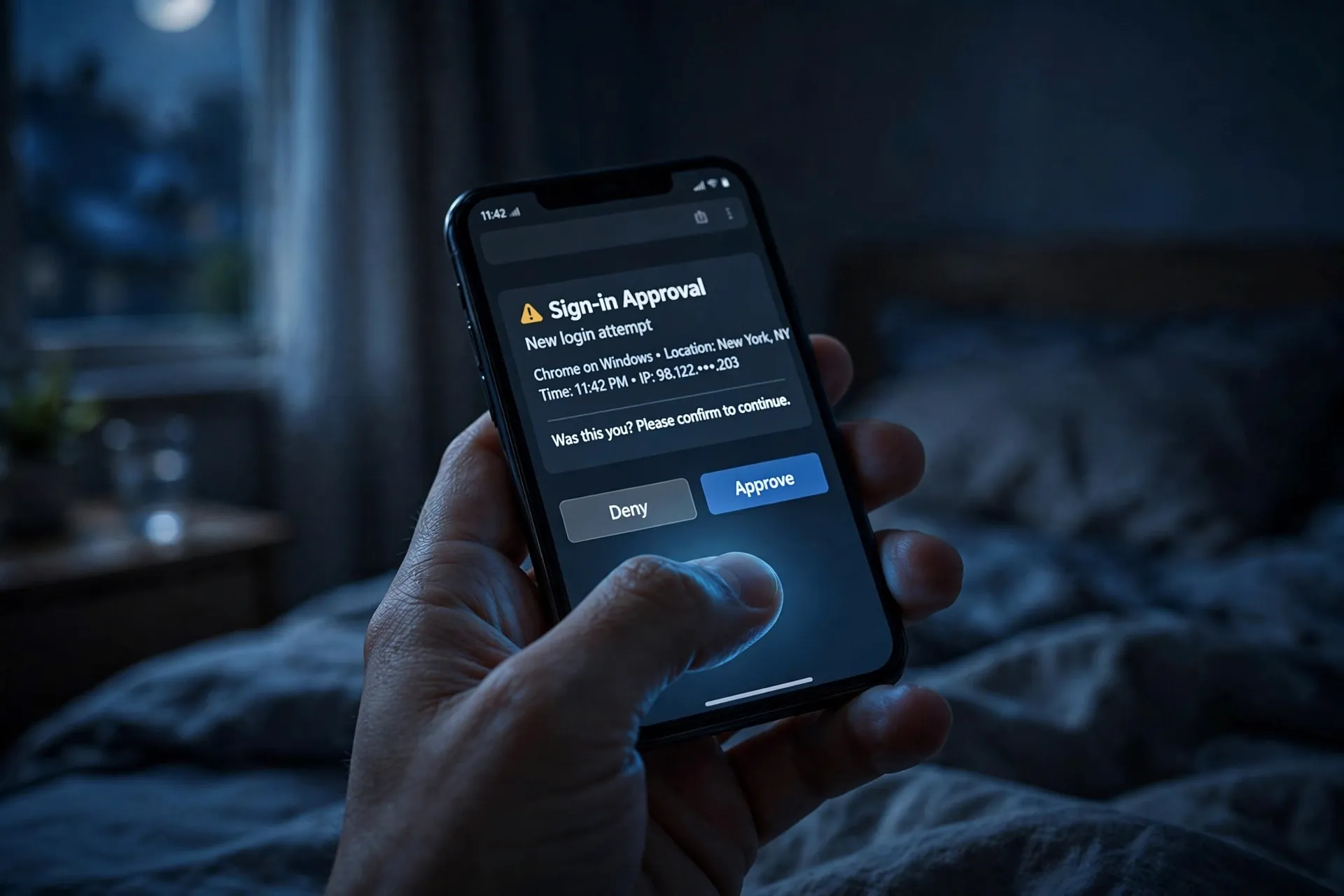
It’s 2:47 in the morning and your phone buzzes. Not a message — a security prompt. “Are you trying to sign in?” it asks, with a map pin showing a city you have never been to. There are two buttons: approve, deny.

You are half asleep. You tap deny and roll over. Then it buzzes again. And again. And again.
If that has never happened to you, it is worth deciding right now what your answer would be — because one day it might. The wrong tap is the entire plan of a real, documented attack. The right tap takes one second and ends it.
The button is supposed to be easy to press
Push approvals exist because two-factor authentication used to be annoying. Instead of opening an app and typing a six-digit code before it expired, you just look at your phone and tap “yes.” Google’s sign-in prompt asks exactly this — “Are you trying to sign in?” — and often tells you roughly where and when the password was entered, so you can decide.
That convenience is deliberate, and for your own logins it works well. The problem is that the button is equally easy to press when someone else started the login. The prompt cannot tell whose thumb is doing the tapping. It can only tell that someone typed a valid password into a sign-in page — and if that someone is you, your thumb is the second half of the lock. If it isn’t you, your thumb is the whole problem.
Why you might say yes anyway
Here is how the attack actually runs. The attacker already has your password. That is the starting condition — picked up in a phishing email, an old data breach, or reused from another site where you typed the same password. Your password alone doesn’t get them in, because your account asks for that second approval. So they ask for it themselves.
They type your password into the sign-in page, your phone lights up, and you say no. They type it again. Another prompt. Ten times, thirty times, fifty times. Security researchers call this push bombing, or MFA fatigue, and it has a depressing track record. In 2022, attackers hit an Uber employee with a stream of approval requests for over an hour — then messaged them on WhatsApp posing as Uber IT support, asking them to approve “the next one” to make the notifications stop. They did. The attackers walked in. Similar waves have been seen in attacks on Okta and others since.
The attack does not need you to be gullible. It needs you to be tired. The prompt arrives at 3 a.m. and you slap “approve” to silence your phone. It arrives mid-meeting and you clear it without reading. Or a stranger calls claiming to be support and tells you the only way to stop the notifications is to approve the incoming one. Every path runs through the same button.
If you didn’t start it, deny it — then act like it’s urgent
That gives you one clean rule to remember: never approve a sign-in you did not start. Not to make it stop. Not because support called. Not because the third prompt looked more “real” than the first. If the prompt was not preceded by you typing your password somewhere, the answer is deny. Every time.
But denying it is only step one. An unexpected prompt is not a false alarm to forget about — it is evidence that someone has your current password. The prompt only exists because the password worked. So once the notifications are denied, do this, on a device you trust, in this order:
- Change the password right now. Go to the account directly — type the address in, or open the app. Do not click any link from an email, text, or “support” caller.
- Sign out everywhere else. Google, Microsoft, and most big services have a “sign out all sessions” option in security settings. Use it. If the attacker has a session token from some earlier slip, this kills it.
- Check recent account activity for sign-ins you don’t recognize — the same pages usually list devices and locations.
If it turns out the attacker did get in before you noticed, the recovery steps go beyond the password reset — there’s a full post-recovery checklist here, covering the account sweep most people skip.
Make the button harder to press
You can reduce the odds of this ever reaching your phone in the first place, and make any future prompt harder for a stranger to weaponize.
Unique passwords, everywhere. Push bombing starts with a stolen password, and most stolen passwords are just reused ones — phished from one site, replayed against another. If every account has its own password, one leak can’t travel. A password manager takes the remembering off your plate; here’s how to get started without the headache.
Prefer number matching. Remember how Google sometimes asks you to tap the number shown on the screen, rather than just tapping “yes”? Microsoft’s Authenticator went further: it now requires you to type the number displayed on the sign-in page into the app for push approvals, precisely to defeat these attacks — and it quietly suppresses prompts that look anomalous, like logins from places you’ve never been. The point of the number is simple: an attacker on the other side of the world cannot see the number on your login screen, so there is nothing for you to blindly approve. If your account offers a version of this, keep it on.
Consider passkeys. Passkeys are built on the phone’s own security chip and bound to the real site — there is no push notification to flood and no code to trick out of you. It’s the strongest practical answer to this whole class of attack, and the passkey guide here walks through how they work.
A few things worth knowing before it happens
The location shown in the prompt is approximate — it’s guessed from the IP address, which usually resolves to roughly the right city, though VPNs, mobile networks, and hotel Wi-Fi can all make it look wrong. A slightly-off location is not automatically an attack, and a correct one is not automatically safe; this is what an IP address actually gives away. What matters is whether you started the sign-in.
These prompts live in your authenticator or Google app, which is another reason those apps deserve a place in your backup routine — if you get a new phone, move your authenticator codes before you wipe the old one.
And if the prompts ever arrive while you are mid-attack — dozens of them, clearly deliberate — don’t panic. Deny them all, then change the password. An attacker pushing hard is an attacker who can’t get in any other way. That button they want you to press is the only door they have left. Keep it closed.












