



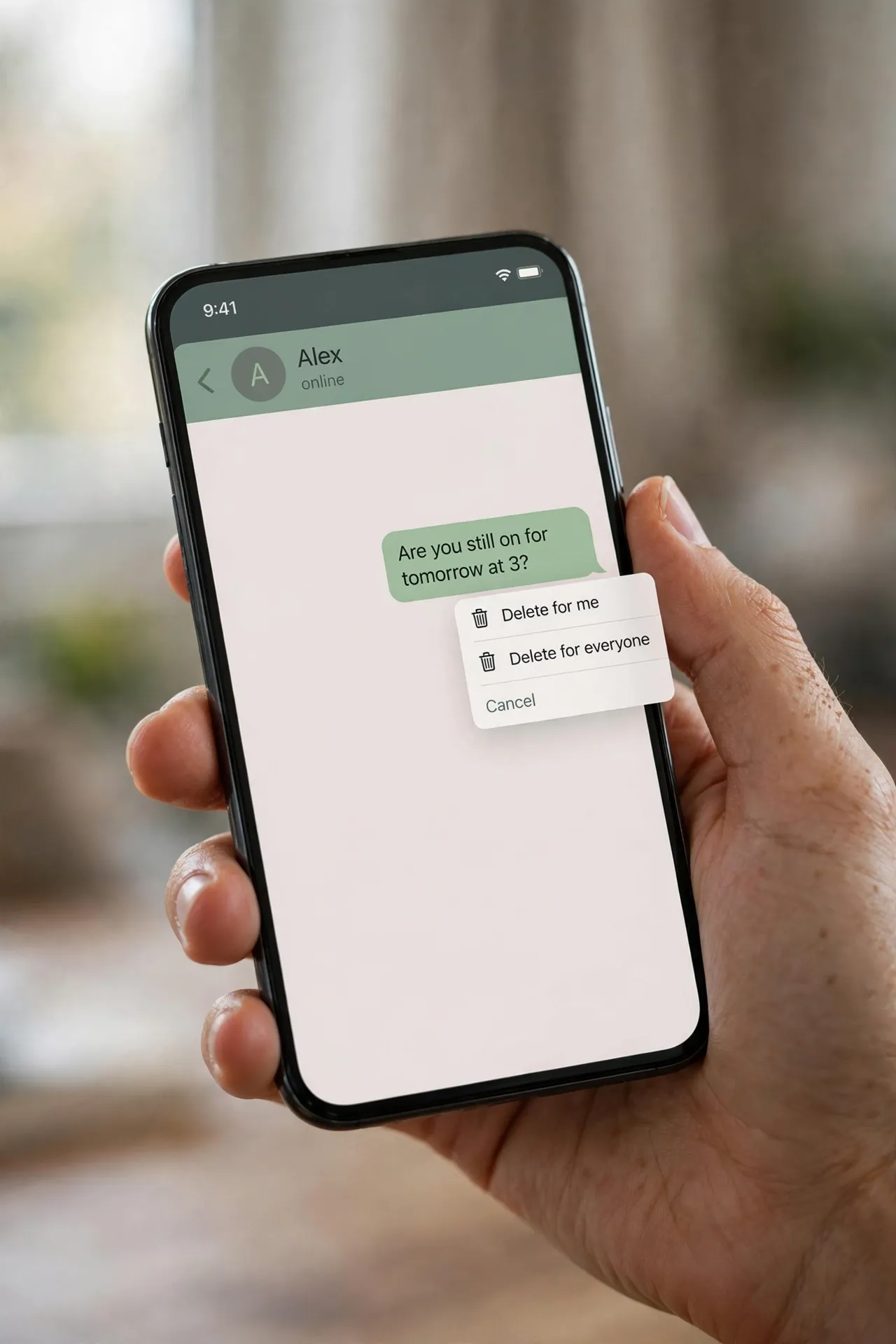
You sent the message to the wrong chat. Or the typo changed the meaning entirely. Your thumb finds the message, presses and holds, and up comes the menu: Delete. Delete for everyone. A heartbeat later, the message is gone — or rather, replaced by “You deleted this message”. Relief. But is it actually gone? Mostly, yes. But not as completely as the menu makes it feel. Here’s what really happens.

Two deletes that do very different things
The delete menu offers two options, and mixing them up is the most common mistake people make. Delete for me removes the message from your own phone only. It’s a tidy-up tool. The recipient still has the message, will still read it, and will probably still reply to it.
Delete for everyone is the one people actually want: it sends a signal to remove the message from every chat it was delivered to — individual and group. To use it, press and hold the message, tap Delete, then choose Delete for everyone. You can select several messages at once and delete them all the same way. After it works, the message is replaced by the line “This message was deleted” in the recipient’s chat.
You’ve got about 60 hours — then the option disappears
This isn’t something you can do whenever you feel like it. When WhatsApp introduced the feature in 2017, the window was a stingy seven minutes. It grew to about an hour in 2018, and in 2022 WhatsApp extended it to 2 days and 12 hours — 60 hours from the moment you hit send. That window is still the rule today.
Once those 60 hours pass, the “Delete for everyone” option simply stops appearing in the menu. There’s no override, no settings trick, and no support ticket that will bring it back. A couple of practical caveats from WhatsApp’s own help pages: for the deletion to reach the other side, both phones should be running a recent version of WhatsApp, and if the deletion fails on their end, WhatsApp won’t tell you it failed. So the delete you saw succeed is only confirmed as gone on your own phone.
What deletion can’t undo
Even when the delete works perfectly, there are copies of your message that no button can touch:
They’ve already seen it. The obvious one. If the message was delivered and opened before you deleted it, deletion changes nothing — the words are in their head. Double-check marks are the clue: two grey ticks means delivered, two blue ticks means read.
Screenshots. Anyone can screenshot any message at any time, and there’s no way to know it happened. A message that lived for thirty seconds before deletion can live forever as a photo.
Notifications. When a message arrives, its text often shows up in a push notification on the recipient’s lock screen or notification shade. Deleting the message doesn’t clear those notifications. The chat says “This message was deleted”; the lock screen may still be quoting it.
Photos and videos saved to the gallery. WhatsApp saves incoming media to the phone’s camera roll if media visibility is on (and it’s on by default). Deleting the message from the chat does not delete the photo from their gallery. The message vanishes; the file stays.
The copies you never think about. A chat backup made before you deleted the message keeps a copy — backups capture the chat as it was at the time. And if the message was forwarded, every forwarded copy is now independent of yours; deleting your original does nothing to the copies floating around in other chats.
A group admin can delete your message too
One more wrinkle worth knowing: in group chats, an admin can delete anyone’s message for everyone, not just their own. WhatsApp rolled this out in 2022, and when it happens, the group sees a line along the lines of “This was deleted by an admin”. It follows the same rules as your own deletions — the copies described above survive — but it’s worth remembering before sending something inflammatory to a group where you aren’t the admin.
If prevention beats the delete button
If you often find yourself wishing a message would vanish, there’s a tool that removes the panic entirely: disappearing messages. Open a chat, tap the contact or group name, and you’ll find the option under “Disappearing messages”. You can set new messages to vanish after 24 hours, 7 days, or 90 days. Everything sent after you switch it on deletes itself on schedule, from everyone’s phones.
It’s not a cloak of invisibility — screenshots and forwards still work, and someone can quote a message before it disappears — but it turns deletion from an emergency action into the default. For chats that are mostly coordination, planning, or casual chatter, it’s the closest WhatsApp gets to “it was never there”.
The honest way to think about “Delete for everyone” is that it deletes the message from the chat, not from the world. Within the 60-hour window, it’s genuinely useful for fixing a message sent to the wrong person or scrubbing a typo. Just don’t treat it as a time machine — once words have travelled to another phone, a lock screen, a gallery, or a backup, they’re out of your hands.












