



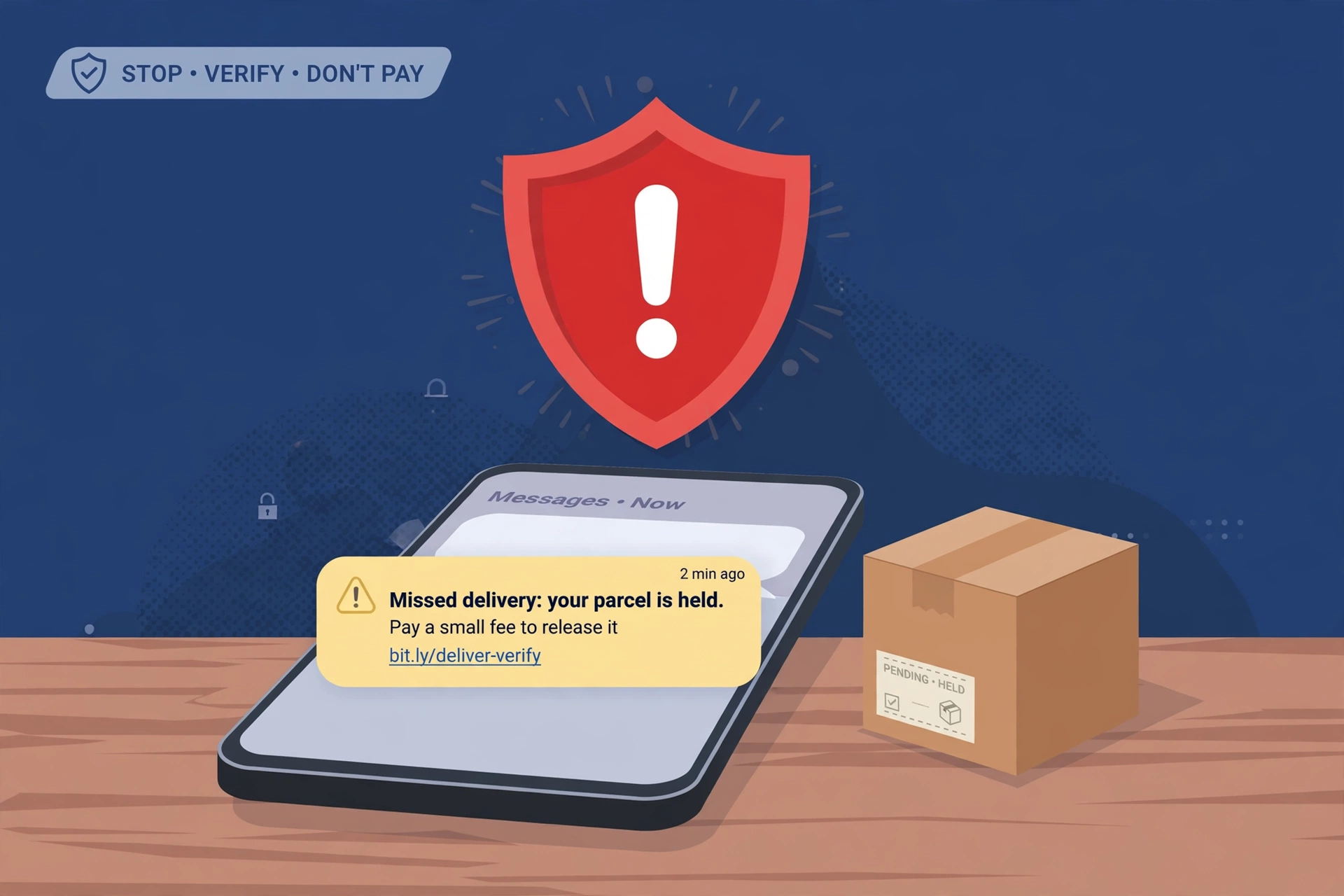
The text usually arrives at exactly the wrong moment — the same week you’re actually waiting for a parcel. That’s not a coincidence, and it’s not bad luck either. Scammers fire these messages out by the million, timed for busy shopping weeks, because they know that whenever one lands, a good share of the people reading it will have something on the way.

The message claims to be from a courier — Royal Mail, USPS, FedEx, UPS, DPD, Evri, take your pick — and says your parcel couldn’t be delivered, is being held at a depot, or needs a small fee before it can be released. There’s a link to “track” it or “pay” the fee. Everything after that sentence is the scam.
What the text usually looks like
The wording varies, but the shape is always the same:
- “USPS: Your package cannot be delivered. An unpaid fee of $2.99 is due. Pay here: [short link]”
- “Royal Mail: Your parcel is being held at our depot. Pay the £1.99 redelivery fee: [link]”
- “Your parcel has arrived at the warehouse but cannot be delivered due to incomplete address information. Please confirm your details: [link]”
The sender name might look like the courier, or it might be a random mobile number — both happen. Some versions skip the fee entirely and ask you to “install our tracking app” so you can follow your parcel. That app is the payload: on Android it can be outright malware.
The security industry has a name for this: smishing — phishing by text message. Delivery smishing is the most reported kind in the UK, with fake texts impersonating Royal Mail, Evri, DPD and DHL topping the charts year after year.
The link is the whole point
Tap the link and you land on a website dressed up to look like the courier’s: familiar colours, a logo, maybe a field where you can enter your tracking number to make it feel real. None of it is real.
The page exists for one reason — to take things from you. The classic version asks you to pay the “fee,” which means typing in your card number, expiry date and security code. But many of them collect more than that first: your full name, home address, phone number and email, all typed in willingly before the payment screen ever appears. That’s a complete identity-theft kit, handed over in about a minute.
Two things worth knowing about that page. First, the padlock icon in your browser’s address bar proves nothing — scammers’ sites have those too, and the padlock never meant what people think it means. Second, replying to the text, even with “STOP,” is a bad move: all it does is confirm to the sender that your number is live and monitored, which tends to bring more scam messages, not fewer.
Four things that give it away
- You didn’t sign up for tracking updates. This is Royal Mail’s own first test: “Did you ask for tracking updates? If not, Royal Mail wouldn’t text or email you.” The same is true of USPS — it only sends texts if you signed up for Informed Delivery or specifically requested updates for a parcel. An unexpected delivery text asking for a fee is a scam, full stop.
- A real courier never collects a fee through a text link. Royal Mail says it plainly: it will never ask for passwords, bank details, or payment on an unknown website via text. No legitimate carrier settles a delivery fee, a toll or an account problem through a link in an unsolicited message.
- The link doesn’t lead to the real site. Most of these messages use shortened links or lookalike domains — royalmail-delivery-track.com instead of royalmail.com, that sort of thing. On most phones you can long-press a link to preview where it actually goes before you tap it.
- It’s trying to rush you. “Pay within 12 hours or your parcel is returned.” “Your package will be destroyed.” Real couriers don’t threaten you. Urgency is the pressure tactic — it exists to stop you doing exactly the double-checking that would expose the trick.
One more UK-specific tell: Royal Mail and the Post Office are two separate companies, and the Post Office doesn’t deliver parcels. A text claiming the Post Office can’t deliver your item is always fake.
If you already tapped it
What to do depends on what you handed over:
- You only tapped the link and entered nothing. You’re almost certainly fine — close the page and move on. On an iPhone, the browser sandbox makes drive-by infection extremely unlikely. On Android, restart the phone and run a scan with a trusted security app if the page tried to download anything.
- You entered a password. Change it immediately, from a different trusted device, and change it everywhere else you reused it too. Then switch on two-factor authentication wherever it’s offered. If you’re not sure what a full post-breach sweep looks like, our guide to recovering a hacked account walks through every step.
- You entered card details. Call your bank now — use the number on the back of your card or inside your banking app, not any number from the text. In the UK you can also call 159, the banking fraud hotline, which connects you straight to your bank’s fraud team. Ask for the card to be frozen and replaced, and watch your statements closely for the next few weeks.
- You installed the “tracking app.” Delete it, then run a security scan. On Android, check Settings for any other apps you don’t recognise while you’re at it.
What to do with the text itself
- Don’t reply, don’t tap. Just leave it alone.
- Forward it to 7726. That’s free in both the US and the UK, and it goes to your mobile network so the number and link can be investigated and blocked. (7726 spells SPAM on a telephone keypad, which is how you remember it.)
- Report it to the impersonated courier. In the UK, screenshot the message and send it to reportascam@royalmail.com; you can also report to Action Fraud on 0300 123 2040, and forward scam emails to report@phishing.gov.uk. In the US, forward USPS impersonations to spam@uspis.gov and file a report at reportfraud.ftc.gov. FedEx takes reports at abuse@fedex.com, UPS at fraud@ups.com.
- Delete it and block the sender.
The safe way to check on a real parcel
When you genuinely want to know where your parcel is, go to the source yourself: open the courier’s official app, or type their web address into your browser by hand and enter the tracking number from the retailer’s own order email. Never start from a link in a text you didn’t expect.
And if you need the courier’s actual phone number, don’t just search for it — fake “customer service” numbers are planted in search results and paid ads, and calling one can be worse than the original text.
The rule of thumb is simple: a real courier never asks you to pay, enter card details or install an app through a link in an unexpected text. If a message asks for any of those, it isn’t from your courier — no matter whose name sits at the top.












