



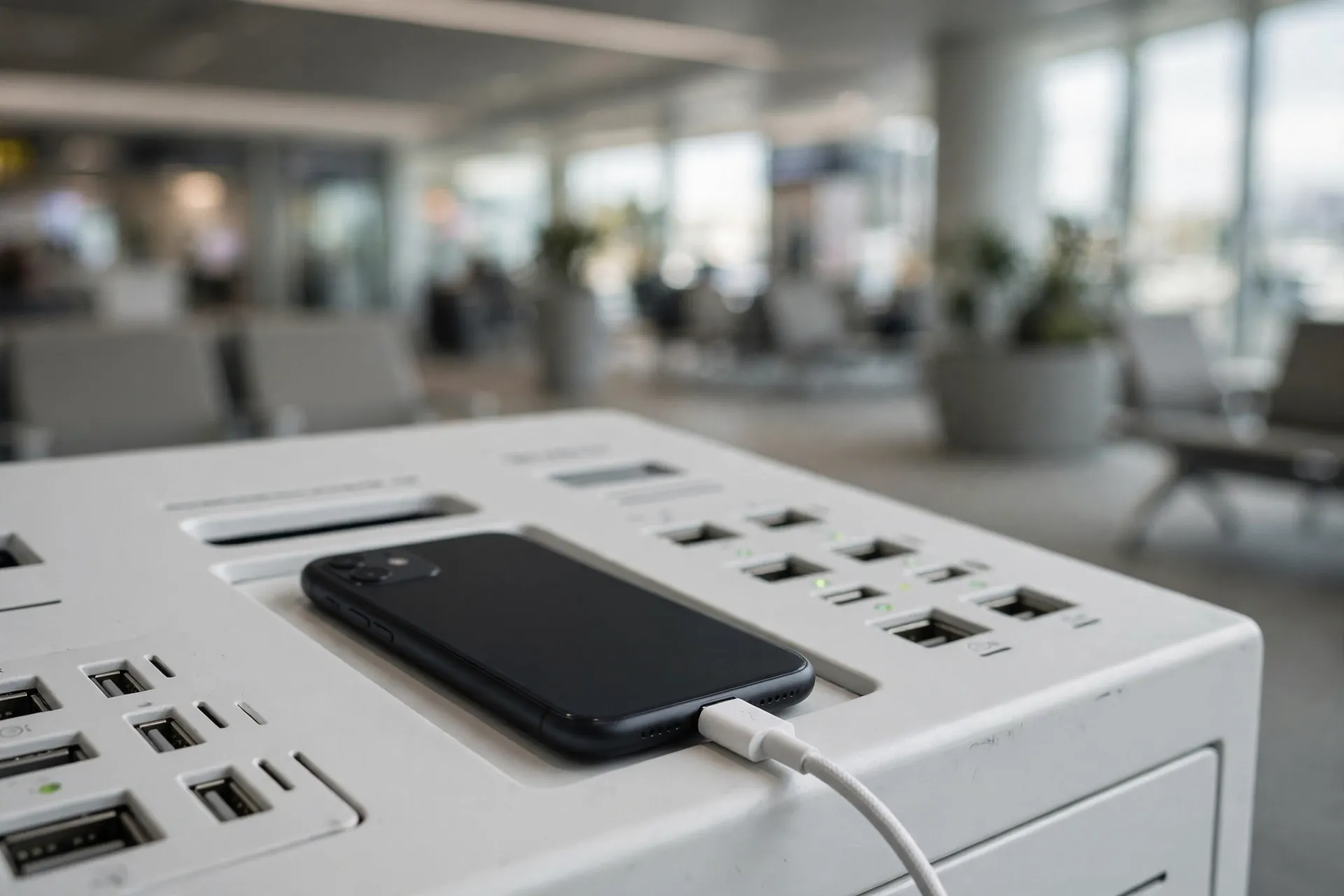
Your phone is at nine percent and your boarding gate is still half an hour of walking away. Then you spot it: a charging kiosk with a row of inviting USB ports, free for anyone to use. Most people plug in without a second thought — and honestly, that instinct is completely understandable. That reaction is also exactly what one kind of attacker is counting on.

The attack even has a name: juice jacking. The FBI’s Denver field office issued a public warning about it in April 2023, telling travellers to “avoid using free charging stations in airports, hotels or shopping centers” and to “carry your own charger and USB cord and use an electrical outlet instead.” The Federal Communications Commission has kept a consumer advisory on the same subject on its website for years. So what is actually going on inside one of those ports?
A Wall Outlet Only Carries Power. A USB Port Carries Two Things.
Here’s the part that surprises most people. When you plug your phone into a wall outlet with your own charger, the only thing travelling down that cable is electricity. A USB port is different: the same small connector carries power and data, side by side, on separate pins. Every time you plug your phone into your laptop, the two devices have a little conversation — syncing files, asking permission to share.
A public charging kiosk is basically a stranger’s computer that you are voluntarily plugging your phone into. If someone has tampered with the port — modified the hardware behind it, or simply left a cable plugged in that’s been loaded with malicious software — the port can try to install malware on your phone or quietly copy data off it. According to the FCC, malware installed through a corrupted USB port can lock a device outright, or export personal data and passwords directly to the perpetrator, who can then use them to get into your online accounts or sell them on.
It’s worth knowing that criminals don’t even have to break into the kiosk. The FCC notes that attackers have intentionally left infected cables plugged in at charging stations, and have been known to hand out infected cables as promotional gifts. So “bring your own cable” only helps if it’s actually your cable.
An Honest Word About How Likely This Really Is
Before this starts sounding like a scare piece, here is the part that the most alarmist versions of this story tend to leave out: the FCC itself says it is not aware of any confirmed real-world instances of juice jacking. Researchers have demonstrated the technique as a proof of concept — Brian Krebs and others have written about how technically feasible it is — but no one has documented it actually happening to an ordinary traveller in the wild.
So the risk is credible enough that federal agencies warn about it, but rare enough that no confirmed victims exist on record. That’s genuinely useful information, because it tells you the proportion of the response: this is not a reason to panic at the airport. It’s a reason to adopt a habit that costs you almost nothing. The precautions are cheap, and they eliminate the risk entirely.
The One Screen You Should Never Agree To
If you do ever plug into a public USB port — or any unfamiliar one — your phone may pop up a prompt. On an iPhone it asks whether to “Trust This Computer.” On Android you’ll usually get options like “Charge only,” “Transfer files,” or similar wording. The safe answer is always the same: charge only, never trust. The FBI’s own reporting noted that some people tap “Trust” out of habit without thinking — which is precisely the moment the protection fails.
If you ever tapped “Trust” on a computer you shouldn’t have, you can undo it on an iPhone by going to Settings → General → Transfer or Reset iPhone → Reset → Reset Location & Privacy, which forgets every computer the phone has ever trusted. But honestly, the better habit is the one that means you never see that screen at a public kiosk in the first place.
The Simplest Fix: Your Own Plug in a Wall Socket
Everything above collapses into one unglamorous answer: plug your own charger into a wall outlet. The FBI’s advice is almost anticlimactic in its simplicity — carry your own charger and USB cord, and use an electrical outlet instead. A wall socket has no data channel, so there is simply nothing for an attacker to hijack. No special settings, no extra purchases, no vigilance required.
Airport terminals, hotels and cafés almost always have wall outlets somewhere — along the walls behind seating, at the base of columns, near the windows. They can be harder to find than the kiosk, which is exactly why the kiosk is tempting. The trick is to make the wall outlet your default plan rather than your backup plan.
Three Things Worth Packing for the Next Trip
If you travel often, a tiny bit of kit makes this a non-issue:
- A small portable battery. A power bank charges your phone from your own bag, so it never has to touch unknown hardware at all. It’s also faster than hunting for an outlet mid-terminal.
- A USB data blocker or charging-only cable. A data blocker — a small adapter sometimes nicknamed a “USB condom” — sits between the cable and the port and physically blocks the data pins while letting power through. The FCC specifically recommends carrying a charging-only cable from a trusted supplier, which does the same job. Either turns any suspicious port into a dumb power source.
- A full battery before you leave. Charging at home or the hotel before you head out is free, safe, and removes the temptation entirely. Juice jacking only works if you need the juice.
Juice jacking is the physical cousin of the risks on unfamiliar public Wi-Fi: convenient, shared, and worth a little suspicion. And while your phone sits on a kiosk tray charging, remember that everyone walking past can read your incoming messages — stopping your lock screen from showing previews keeps that tray from becoming a broadcast.
The odds of a compromised port are low. But the fix is so boringly simple — your own plug, your own cable, a wall socket — that there is no reason not to make it a habit. The kiosk will still be there for everyone else.












